
DOWNLOAD THE APP


Customer Services
Copyright © 2025 Desertcart Holdings Limited
DOWNLOAD THE APP
![ASUS N550 15-Inch Laptop [OLD VERSION]](https://m.media-amazon.com/images/I/71-7zI9XBzL.jpg)
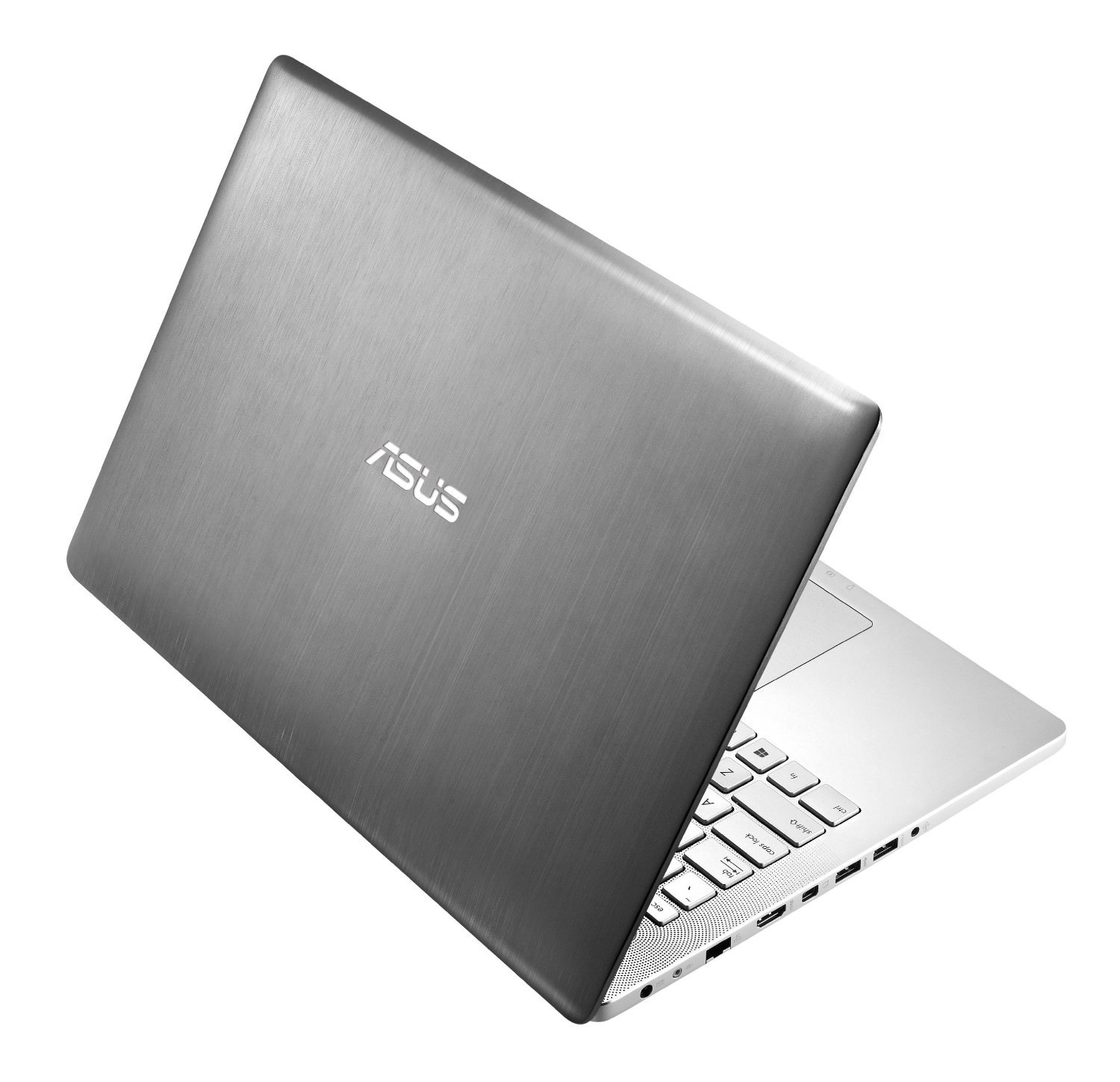
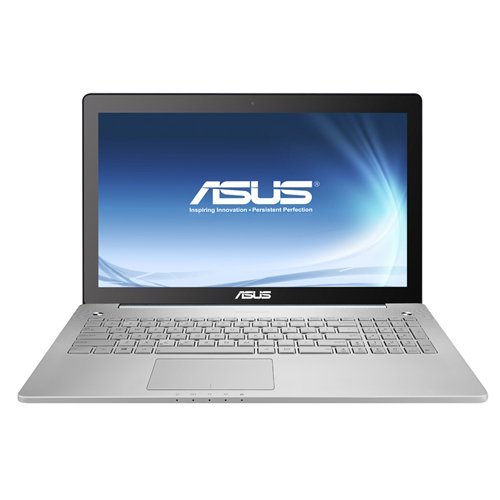

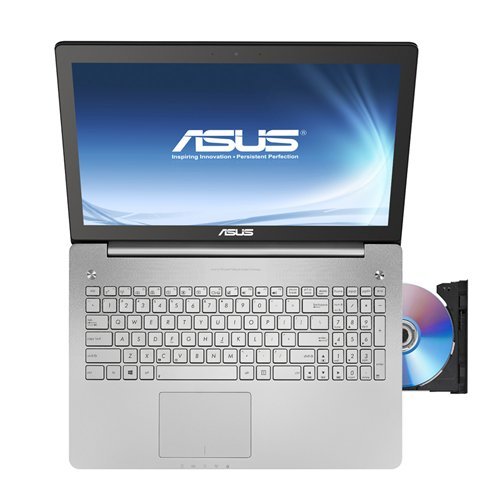

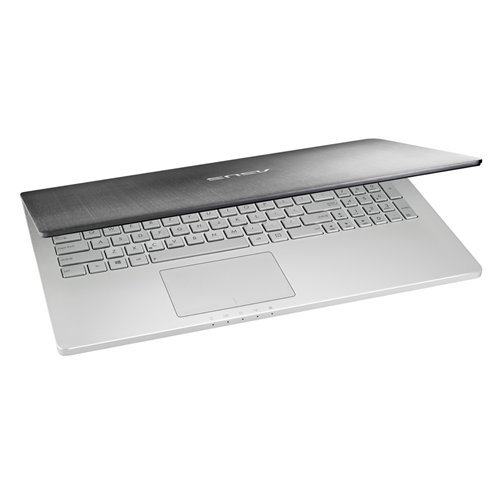
🚀 Elevate your workflow with power and style that commands attention
The ASUS N550 is a 15.6-inch laptop featuring a 4th generation Intel Core i7-4700HQ processor with Turbo Boost up to 3.4GHz, 8GB RAM, and a spacious 1TB 5400 RPM hard drive. It boasts a Full HD display paired with NVIDIA GeForce GT 750M 2GB graphics for stunning visuals, complemented by a premium aluminum chassis and a suite of connectivity options including 3 USB 3.0 ports, HDMI, and DisplayPort. Designed for professionals seeking a blend of performance, style, and portability, it offers up to 5.5 hours of battery life and Windows 8 OS out of the box.
| Standing screen display size | 15 Inches |
| Screen Resolution | 1366 x 768 pixels |
| Max Screen Resolution | 1920x1080 |
| Processor | 2.4 GHz core_i7 |
| RAM | 8 GB SO-DIMM |
| Memory Speed | 1600 MHz |
| Hard Drive | 1 TB HDD |
| Graphics Coprocessor | Intel HD Graphics 4400 |
| Chipset Brand | NVIDIA |
| Card Description | Dedicated, Integrated |
| Graphics Card Ram Size | 2 GB |
| Wireless Type | 802.11bgn |
| Number of USB 3.0 Ports | 3 |
| Average Battery Life (in hours) | 5.5 Hours |
| Brand | ASUS |
| Series | Asus |
| Item model number | N550JV-DB72T |
| Hardware Platform | PC |
| Operating System | Windows 8 |
| Item Weight | 5.72 pounds |
| Product Dimensions | 15.08 x 10.04 x 1.09 inches |
| Item Dimensions LxWxH | 15.08 x 10.04 x 1.09 inches |
| Color | silver grey |
| Processor Brand | Intel |
| Number of Processors | 1 |
| Computer Memory Type | SODIMM |
| Hard Drive Interface | Serial ATA |
| Hard Drive Rotational Speed | 5400 RPM |
| Optical Drive Type | DVD+RW |
| Power Source | Battery Powered |
| Batteries | 1 Lithium Ion batteries required. (included) |
G**T
Fantastic once upgraded
I have had this laptop for about a month now. I was deciding between this and a MacBook Pro 15.6" with Retina display, and I am quite sure now that I made the right choice. It has been a lovely experience thus far, but it is important to note that it doesn't come out of the box this way. It is very obvious how Asus managed to get the price of this laptop as low as it is, but still deliver this incredible package. The hard drive, and to a lesser degree, the wifi card, are cheap, low quality components. The rest of the hardware is great, top-of-the-line stuff. What Asus has done here is actually brilliant, because the parts that cannot be swapped out (display, keyboard, body, processor) are really high quality, and they keep the price down by using a select few, low-quality components. If the customer wants to replace them with better components (and believe me, you will) then that can be done very easily, and you end up with an incredible machine at a great value. Thus, I feel that this laptop deserves 5 stars because I was blown away by the quality of 90% of this machine. The hard drive that comes stock is terribly slow, like borderline unusable. I replaced it with a Samsung 840 Evo SSD and now it flies. Alternatively, you could spend a lot less money and get a 7200 rpm HDD that would work reasonably well, but if you are going to go to the trouble, you might as well go all the way. Also, living in a college dorm, there are frequently a lot of walls between me and the crappy routers my school has, and the wifi card does not have great range. I replaced this with an Intel 7260 and it is substantially better now. I would consider this an optional upgrade depending on your situation and usage habits, but for me it made sense given that, unlike the SSD, this is a rather inexpensive part and it helped me out a lot.Pros:-Display. 1920x1080 is something I hadn't previously experienced and it is stunningly beautiful. In addition to the resolution, colors are bright and vivid, and the touchscreen works perfectly.-Construction. The aluminum build feels very solid and looks great, but still allows easy access to the guts of the machine for the aforementioned upgrades, unlike some other laptops (looking at you, Macbook Pro)-Keyboard and touchpad. Keyboard has excellent key travel, and feels great to type on. Touchpad is nice and responsive, and the gesture controls work consistently. Number keypad is very nice to have for data entry.-Battery life. I noticed a lot of people complaining about this, but no laptop will have good battery life under heavy usage. For light web browsing or using MS Office programs, battery life is a solid 3-4 hours, which is perfectly fine for me.-Mini DisplayPort. Didn't know it came with this, but its nice to have.-Charger. The connector feels very solid and doesn't wiggle or feel loose, and the power brick, although large, also feels like a quality part.-Light-up Asus logo on the back of the display. Pretty self-explanatory. I absolutely love the way this looks.-Included cleaning cloth. When I opened up the documentation packet, I found an included cleaning cloth, presumably for cleaning fingerprints off of the display and the lid. I don't get a lot of fingerprints on my touchscreen, but it is nice of them to include this.-Noise. Not the speakers, here, but the sound of the fan, or lack thereof. Unless you're using this machine in a warm room under heavy stress, its basically silent. Given that it vents into the hinge, I was not expecting this, but it ended up being a pleasant surprise.-Internals. Last but definitely not least, the processor and graphics card are fantastic. The Haswell i7 is absolutely incredible, and Nvidia 750m seems handle gaming quite well. The games I play don't really stress the graphics card that much, but it has handled everything I've done. 8 GB of RAM is probably more than enough for most people, and if not, it is, once again, an easy upgrade.Cons (from most to least serious):-Hard drive. I already talked about this, so its just a quick mention here.-Speakers. It's not that they sound bad, and actually, if you plug in the included sub, they sound really good. Without plugging it in, they are a little treble-heavy, but not bad. The issue is that they issue from the front of the bottom of the case, which reflects off the surface the computer is resting on and diminishes the sound quality. They are also easy to block in this position if not resting on a flat surface. This little dots that spread out from the power button and programmable button are just painted on, which works as part of the design aesthetic, but if they were actually machine drilled holes that had the speakers underneath them, I would be even more impressed with the design and I think the speakers would sound better. Asus, if you read this, that's my wish for the next generation of this laptop.-The screws on the bottom are Torx instead of a more common standard, so I ended up needing to spend an additional $8 on a set of screwdrivers, which is actually a drop in the bucket compared to the overall price of the unit.-The touchpad buttons require a firm press, so you may just want to tap on the pad most of the time.-The left side of the spacebar has started squeeking slightly, but I only ever hit the right side of the spacebar, so this doesn't affect me. There's probably a way to fix this, but I'm not going to bother.-There is no indicator light for Num lock. Really a very minor annoyance.With my modifications, this is the best computer I have ever owned. I absolutely love it, and you will not regret buying this.
D**E
An overall great machine with some quibbles.
Pros:Exceptional CPU performance: Haswell may not have been a revelatory release versus its predecessor but there's no doubting that it's got the chops to handle whatever I chuck at it.Reasonable GPU performance: The HD4600 seems to deal with all of my typical desktop stuff without fault, and I'm still able to bust out some Civ V without it being a total kludge. Optimus is completely seamless.Great Screen: 1920x1080 IPS panels should really just be the minimum standard at this point. Anything lower on a 15"+ notebook is literally an affront to the eyes.Touch Panel: I'm not really a fan of Windows 8, but if you're going to roll with the latest MS OS you'd be doing yourself a disservice by getting a machine that does not support touch. I've already gotten some amusement out of my idiotic attempts to touch the screen on other people's older machines since I've started using this one and become used to having the screen as an input option.Audio: It works well. It's not as outright fantastic as the prior gen N56VM but it is very nearly the same.Build quality (see cons on this as well): Seemingly quite solid. All-metal chassis, some flex on the panel but only if you try. Lovely beveled edges on the deck and the panel that provide a good cleft for prying it open. There is a rubber ring around the entire exterior of the panel that "seals" the display against the deck. I'm not sure what kind of glass the panel is covered in and whether I will have key-marks in the future but so far it's not picked up any scratches from my occasionally grubby mitts. Ports are all quite solid in feel excepting the SD slot(see cons). The power plug from the PSU is a right angle and I'm all for it. PSU is large but somewhat flattened out so it's not too terrible to keep in a bag pocket.Heat: Intakes from bottom grilles and exhausts from the back in the hinge area. No warm wind coming from the sides of the unit.Cons:Drive performance: Out of the box, the 1TB drive that comes with this unit is just plain slow. Windows 8 does a good job with whatever caching mojo it has going on (Note, there is NOT a 24GB caching SSD in these units, despite any indication to the contrary elsewhere. There is physically no slot for it inside the chassis) so it keeps things moving well. However, the responsiveness of the machine is just dragged into the pits by the 5400RPM drive. I suggest immediately extricating it and replacing with an SSD if you want the machine to show its true capabilities. Be advised you'll need a Torx #5 to get into the chassis. Also, don't attempt to remove or replace the screws without a surgeon's touch. They are VERY delicate.Build Quality: Touch-pad is raised above the unit's deck on the right button corner. This issue is present on both units I ordered. The N56VM had this problem in the upper left corner. I wish Asus would fix this as it's apparent to me now that it's a consistent issue. The unit chassis is metal, but the bottom has no real internal support structure and relies on the rigidity of the bottom plate for its integrity. It would likely be VERY easy to smash it inward if the unit were pressed down onto something. SD slot is barely recessed. Inserted cards hang out 50% of the card's length. Do not count on being able to insert an SD card and leave it in there. Microphone and Headphones are integrated into a single jack. Maybe it's just me, but I really despise this configuration.Heat: The system's exhaust design is nice but isn't ideal since the hinge obstructs the exhaust location and vents roughly equally out of the back and up over the surface of the screen. After an hour or two of Civ V, the left side of the deck becomes very hot. However, I cannot knock this issue too hard since the unit's body is so slim there was bound to be heating issues no matter what.Webcam: The image quality from the integrated webcam is nothing short of garbage. Even if the capture size is reduced to the minimum, the frame-rate looks to be somewhere around 15fps. If the quality of the webcam is a sticking point for you, then you will NOT be pleased. This is the absolute worst element of the unit that I've discovered.Other observations:Windows 8 is, overall, annoying. That's really all there is too it. I'm not knocking anything on this unit based on the OS but, I will most definitely knock ASUS on this count for not at least providing drivers for this unit for Windows 7. Others have ditched Win8 for 7 on this unit and indicated only a few issues with certain things they could not appropriate drivers for. However, there are several ASUS applications that handle things like USB charging and keyboard lighting that may or may not work if you go that route.I wish there was a way to temporarily disable the touchscreen using an Fn combo like there is for the touch-pad. The screen obviously gets gunked up by fingers and wiping it tends to result in errant clicks.~6 month update:Still very pleased with the notebook. I have found that I rarely use the touchscreen outside of occasional scrolling of the start tiles, something which I only do rarely since I have everything I commonly access pinned to the taskbar. Upgraded to Windows 8.1 without any issues. System boots directly to desktop now.Performance: Hauls the proverbial gluteus maximus. Runs MSSQL in VirtualBox VM while I do development in Visual Studio on the host, listen to tunes, and run 30 browser windows with open dev consoles with no trouble. I did upgrade it to 16GB of 1.35v 1600Mhz RAM.Touch-pad: Lifted corner hasn't gotten any worse, but I don't use the touchpad much anyway. A small wireless mouse with the itty-bitty transceiver nub does the trick nicely. I do like the multi-touch scroll on the touchpad.Graphics: I didn't buy it to game with and it's no power-house by any stretch but it's still able to game on lower settings without much trouble. Obviously this doesn't work very well when you're on battery. System definitely gets hot after a couple hours of gaming. I recommend having something to lift the back of the notebook up and improve airflow when gaming.Screen: The glossy glass surface picks up dust out of the air like a magnet, keep a micro-fiber cloth handy. Depending on room lighting, you may be looking at a reflection of yourself pretty often. If you have good lighting behind the laptop and very little behind yourself, the screen is lovely to look at when working on code, browsing, graphics editing, or watching video.Audio: I have found that the last-gen N56VM's top-mounted speakers are simply superior to this unit's forward-edge mount. When I bother with the sub-woofer and have the unit placed on a table or something, it sounds fine, but the overall external audio setup versus the last gen is not an improvement. I've learned to like the all-in-one headphone/mic jack since I've started using some earbuds with a mic built in. Phone/Voip/Video calls on the notebook are better this way I think. Regardless of headphone quality, you're going to hear some hiss. Nothing to be done about it.Weight: This thing is no monster Clevo, but it's not light either. If mobility is key, find something in an ultrabook form-factor instead.
Trustpilot
3 days ago
1 month ago